 revidapi
Fashion Video Guide with Kling 2.5 — RevidAPI AI Studio
Fashion video drives strong ROI on TikTok Shop — but shoot costs block small shops. Kling 2.5 on RevidAPI AI Studio animates lookbook photos into catwalk clips and product spins at sensible credit cost. This guide covers image prep, prompts, Kling settings, and Workflow batching.
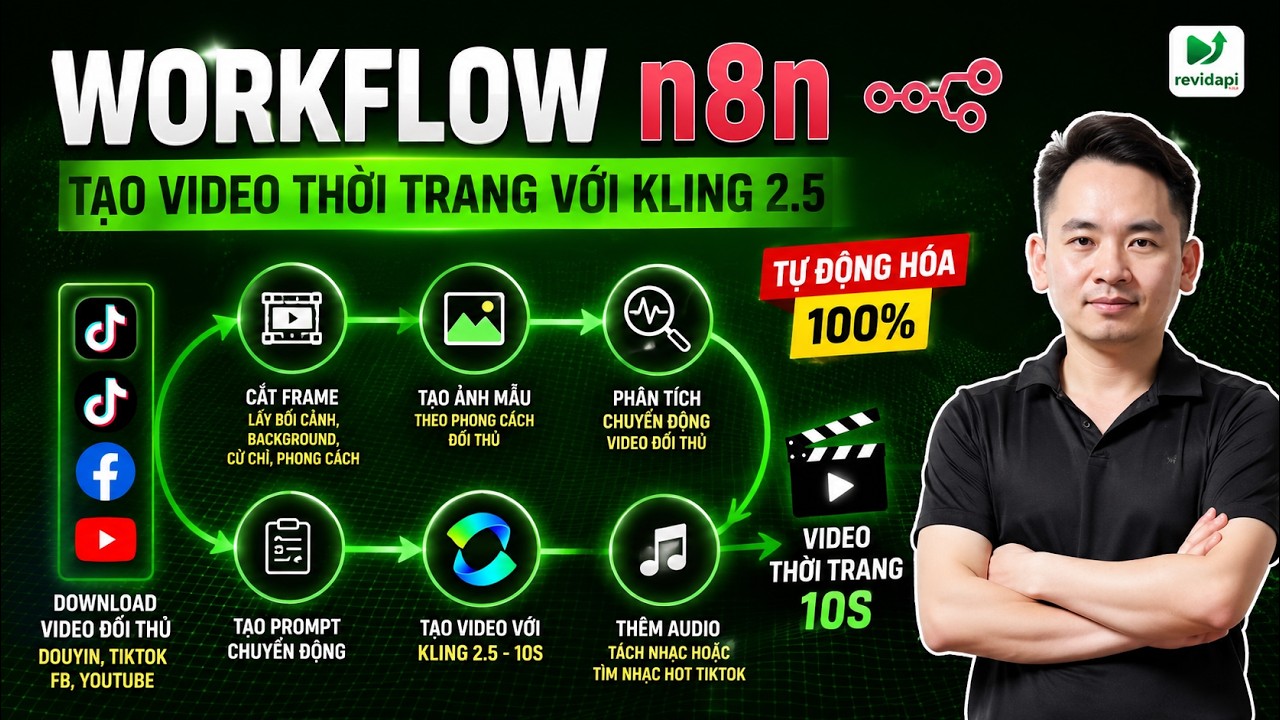
Table of contents
Video tutorial
Why Kling 2.5 for fashion?
Kling 2.5 handles body motion and fabric texture well at reasonable cost — ideal for 20–50 clips/week. Veo 3 suits premium cinematic campaigns.
Available at app.revidapi.com/video — no separate foreign accounts.
Lookbook image prep
Use ≥1024px long edge, clear silhouette, studio lighting, minimal clutter. Flat lay: image-to-video with “fabric flowing, gentle rotation”.
Avoid watermarks and overexposed flash — AI loses fabric detail.
Kling 2.5 fashion prompt templates
Catwalk: “Professional fashion model walking runway, wearing [outfit], cinematic lighting, slow motion fabric, 9:16, photorealistic”.
Street lifestyle: “Young woman in [outfit] walking urban street, golden hour, fashion vlog, 9:16”.
Save templates in Prompt Library.
Step-by-step on AI Studio
Step 1: app.revidapi.com/video → Kling 2.5.
Step 2: Image to Video → upload lookbook.
Step 3: Prompt + 9:16, 5s duration.
Step 4: Advanced: fixed seed for reproducibility.
Step 5: Generate → pick best variant → optional upscale.
Advanced shop pipeline
| Stage | Tool | Goal |
|---|---|---|
| Key visual | Flux / Nano Banana | Campaign still |
| Animate | Kling 2.5 I2V | 9:16 clip |
| Trend | Motion Control | Dance trend |
| Voice | KOL AI + Lipsync | Spoken review |
| Scale | Workflow batch | 50 SKU/week |
SEO, posting, and metrics
TikTok titles: product keyword + hook. First 3 seconds need fabric/model motion — Kling 2.5 slow-motion helps.
Track CTR and add-to-cart. Log prompts and model versions for your team.
Conclusion
Kling 2.5 on RevidAPI democratizes fashion video — start with 5 test clips, iterate prompts, then automate with Workflow.
Updated June 2026 · RevidAPI team
Frequently asked questions
Does Kling 2.5 preserve fabric color?
Image-to-video preserves well with quality source photos — always preview before ads.
Need real models?
No — mannequins or KOL AI for faces.
Render time?
Typically 40–80 seconds for 5s video.
Combine Motion Control?
Yes — see our Motion Control guide.
Need enterprise AI setup? Contact Mido AI for custom RevidAPI workflow implementation.